💻
Windows Installation
Download and install on your PC
1
Download the Installer
Click the download button below to download "BillBookAutoCalculate.exe" file.
⬇️ Download for Windows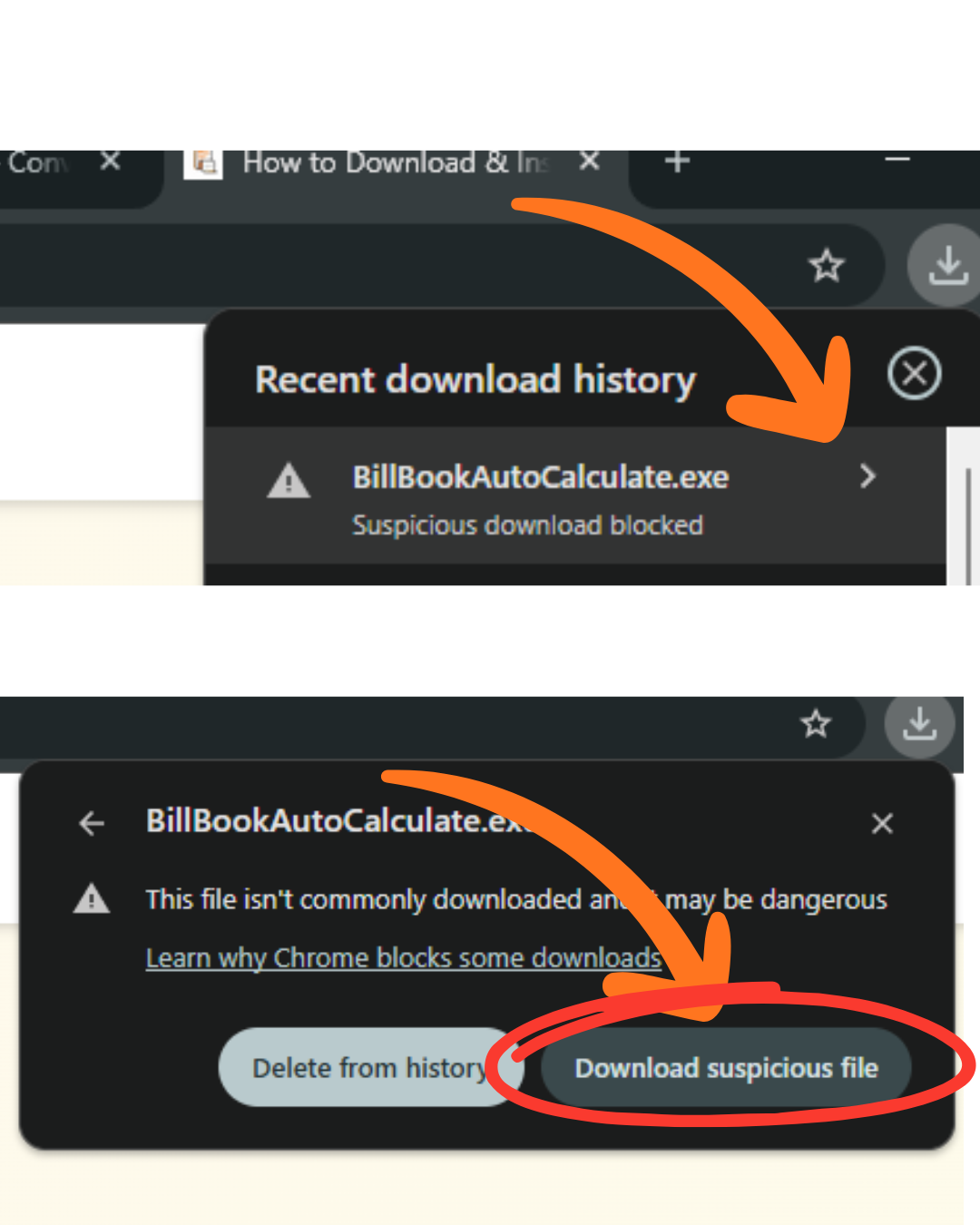
2
Locate the Downloaded File
The file will be saved in your Downloads folder. Look for "BillBookAutoCalculate.exe".
3
Run the Installer
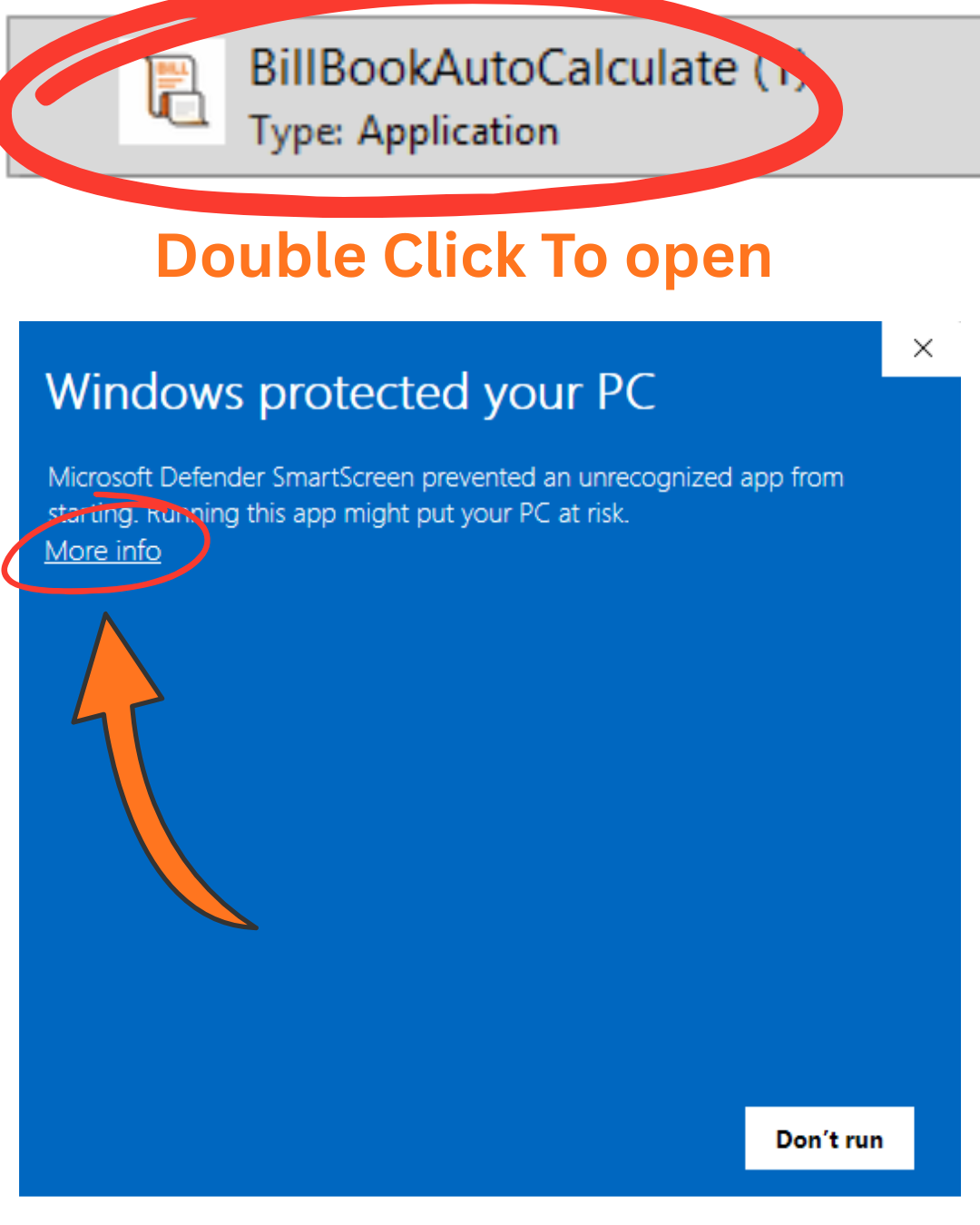
Double-click the downloaded file to start the installation.
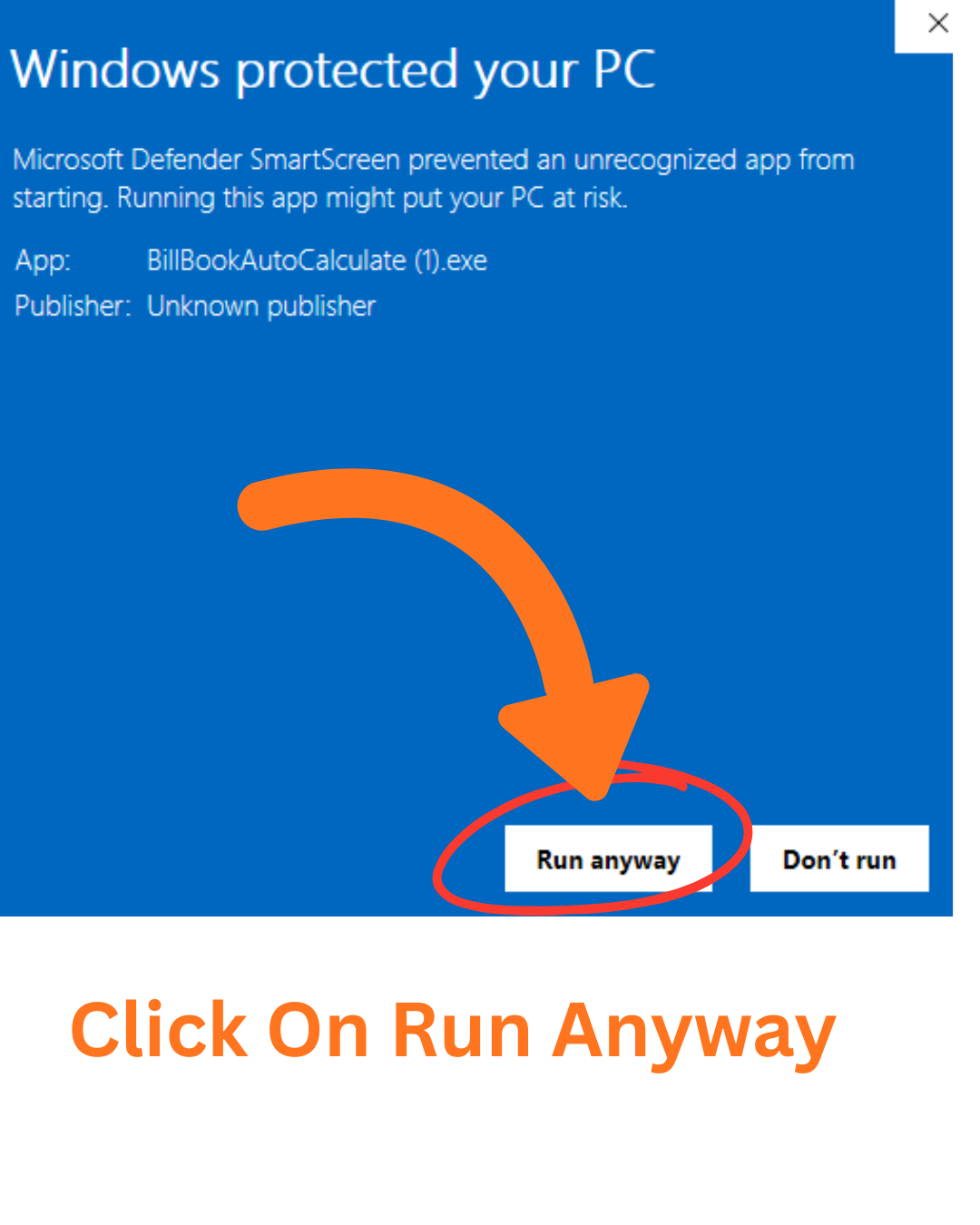
⚠️ Windows SmartScreen Warning: Click "More info" and then "Run anyway".
4
Complete Installation
Follow the on-screen instructions to complete the installation process.
5
Launch the App
Once installed, find Bill Book Auto Calculate in your Start menu or desktop shortcut and start using it!